

Free Online OBJ to PLY Converter – Fast, Secure & Cloud-Based
Easily convert your .obj files to .ply format using our powerful online 3D CAD converter—no downloads or installations required.
Drag & drop your 3D files here to convert
Supported formats: .obj

 Open CAD files instantly in your browser.No software needed.Private uploads.Automatically deleted after 24hrs.Upload files up to 300 MB
Conversion quality notes (read before converting)
CAD → Mesh (STEP/IGES/BREP → STL/OBJ/PLY): may lose parametric features; output becomes triangles.
Mesh → CAD (STL/OBJ/PLY → STEP/IGES/BREP): may produce surfaces/approximations (depends on engine).
If output looks "broken" , try converting to STEP first, then to target format.
Explore more
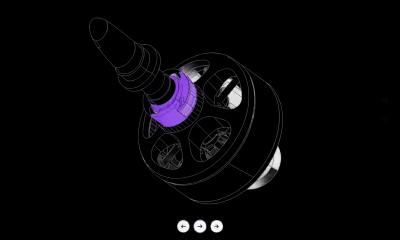
Need to preview before converting?
Open CAD Viewer →
Looking for ready-to-use CAD files?
Browse CAD Library →How it works
No downloads. No plugins. Works right from your browser.
How to convert CAD files online
Upload your CAD file

Upload your CAD file (drag & drop)
Choose the output format

Choose the output format (STEP / IGES / STL / OBJ / PLY / OFF / BREP)
Convert and download instantly

Convert and download instantly
Why use Marathon OS 3D CAD File Converter
Lightning-fast conversion (seconds, cloud-based)
Convert in seconds with our cloud-based engine.
Handles large & complex models
Optimized for large and intricate CAD files.
No installation required
Works in your browser—no downloads or plugins.
Secure & private (encrypted upload + delete after 24 hours)
Your files are encrypted and automatically removed after 24 hours.
Privacy and file handling

Encrypted uploads + secure processing
Files are encrypted during upload and processed securely.
Automatic deletion after 24 hours
Uploads are automatically deleted after 24 hours.
File ownership stays with you
You retain full ownership of your files.
OBJ
OBJ is a popular file format used for representing 3D geometry, primarily in the fields of computer graphics, 3D modeling, and animation. It was originally developed by Wavefront Technologies for their Advanced Visualizer software, and has since become a widely adopted format for exchanging 3D models across various applications.
PLY
Polygon File Format is a widely used file format for representing 3D data, particularly polygonal meshes, in the fields of computer graphics, 3D scanning, and point cloud data. It was originally developed to store data from 3D scanners and has since gained popularity in both academic and commercial applications due to its flexibility in handling a variety of data types.
POPULAR CONVERSIONS
CAD Converter Types
STEP to BREP
Convert STEP to BREP for 3D printing and slicing.
STEP to IGES
Convert STEP to IGES for 3D printing and slicing.
STEP to OBJ
Convert STEP to OBJ for 3D printing and slicing.
STEP to PLY
Convert STEP to PLY for 3D printing and slicing.
STEP to STL
Convert STEP to STL for 3D printing and slicing.
STEP to OFF
Convert STEP to OFF for 3D printing and slicing.
IGES to BREP
Convert IGES to BREP for 3D printing and slicing.
IGES to STEP
Convert IGES to STEP for 3D printing and slicing.
IGES to OBJ
Convert IGES to OBJ for 3D printing and slicing.
IGES to PLY
Convert IGES to PLY for 3D printing and slicing.
IGES to STL
Convert IGES to STL for 3D printing and slicing.
IGES to OFF
Convert IGES to OFF for 3D printing and slicing.
OBJ to BREP
Convert OBJ to BREP for 3D printing and slicing.
OBJ to IGES
Convert OBJ to IGES for 3D printing and slicing.
OBJ to STEP
Convert OBJ to STEP for 3D printing and slicing.
OBJ to PLY
Convert OBJ to PLY for 3D printing and slicing.
OBJ to STL
Convert OBJ to STL for 3D printing and slicing.
OBJ to OFF
Convert OBJ to OFF for 3D printing and slicing.
PLY to BREP
Convert PLY to BREP for 3D printing and slicing.
PLY to IGES
Convert PLY to IGES for 3D printing and slicing.
PLY to OBJ
Convert PLY to OBJ for 3D printing and slicing.
PLY to STEP
Convert PLY to STEP for 3D printing and slicing.
PLY to STL
Convert PLY to STL for 3D printing and slicing.
PLY to OFF
Convert PLY to OFF for 3D printing and slicing.
STL to BREP
Convert STL to BREP for 3D printing and slicing.
STL to IGES
Convert STL to IGES for 3D printing and slicing.
STL to OBJ
Convert STL to OBJ for 3D printing and slicing.
STL to PLY
Convert STL to PLY for 3D printing and slicing.
STL to STEP
Convert STL to STEP for 3D printing and slicing.
STL to OFF
Convert STL to OFF for 3D printing and slicing.
OFF to BREP
Convert OFF to BREP for 3D printing and slicing.
OFF to IGES
Convert OFF to IGES for 3D printing and slicing.
OFF to OBJ
Convert OFF to OBJ for 3D printing and slicing.
OFF to PLY
Convert OFF to PLY for 3D printing and slicing.
OFF to STL
Convert OFF to STL for 3D printing and slicing.
OFF to STEP
Convert OFF to STEP for 3D printing and slicing.
BREP to STEP
Convert BREP to STEP for 3D printing and slicing.
BREP to IGES
Convert BREP to IGES for 3D printing and slicing.
BREP to OBJ
Convert BREP to OBJ for 3D printing and slicing.
BREP to PLY
Convert BREP to PLY for 3D printing and slicing.
BREP to STL
Convert BREP to STL for 3D printing and slicing.
BREP to OFF
Convert BREP to OFF for 3D printing and slicing.
DWG to DXF
Convert DWG to DXF for 3D printing and slicing.
DXF to DWG
Convert DXF to DWG for 3D printing and slicing.
Marathon-OS Design Hub
Everything you need to design faster, smarter, and with more impact.

FAQ
Find answers to common questions about Marathon OS 3D CAD File Converter. Whether you're getting started or looking for advanced features, we've got you covered.

What is Marathon OS 3D CAD File Converter?
Marathon OS 3D File Converter is a browser-based tool that lets you convert CAD/3D file formats online—no software installation needed.
What file formats are supported?
Is Marathon OS 3D File Converter free to use?
How is my data stored and secured?
Do I need any special software or training?
Can I convert large and complex CAD models?
What is the max file size?
 The CAD marketplace for modern teams